
How the Jefferson County Court Calendar Works
The Nebraska Court Calendars service opens the statewide Court Case Schedule Calendar. That tool is separate from the full JUSTICE Register of Actions. After you select County Court or District Court, pick Jefferson in the court or county control. Searching works by date or by last name. Because the schedule shows settings, it fits finding an upcoming matter better than rebuilding a whole filing history.
Jefferson sits in Judicial District 1 with both a County Court and a District Court. Traffic, misdemeanors, preliminary felony matters, small claims, probate, and ordinance complaints usually land in County Court. District Court takes major civil matters, domestic relations, district felony proceedings, and appeals. Pick the wrong court and a live date can look like it is missing.
The official calendar-service page is what this Jefferson County court schedule image shows.
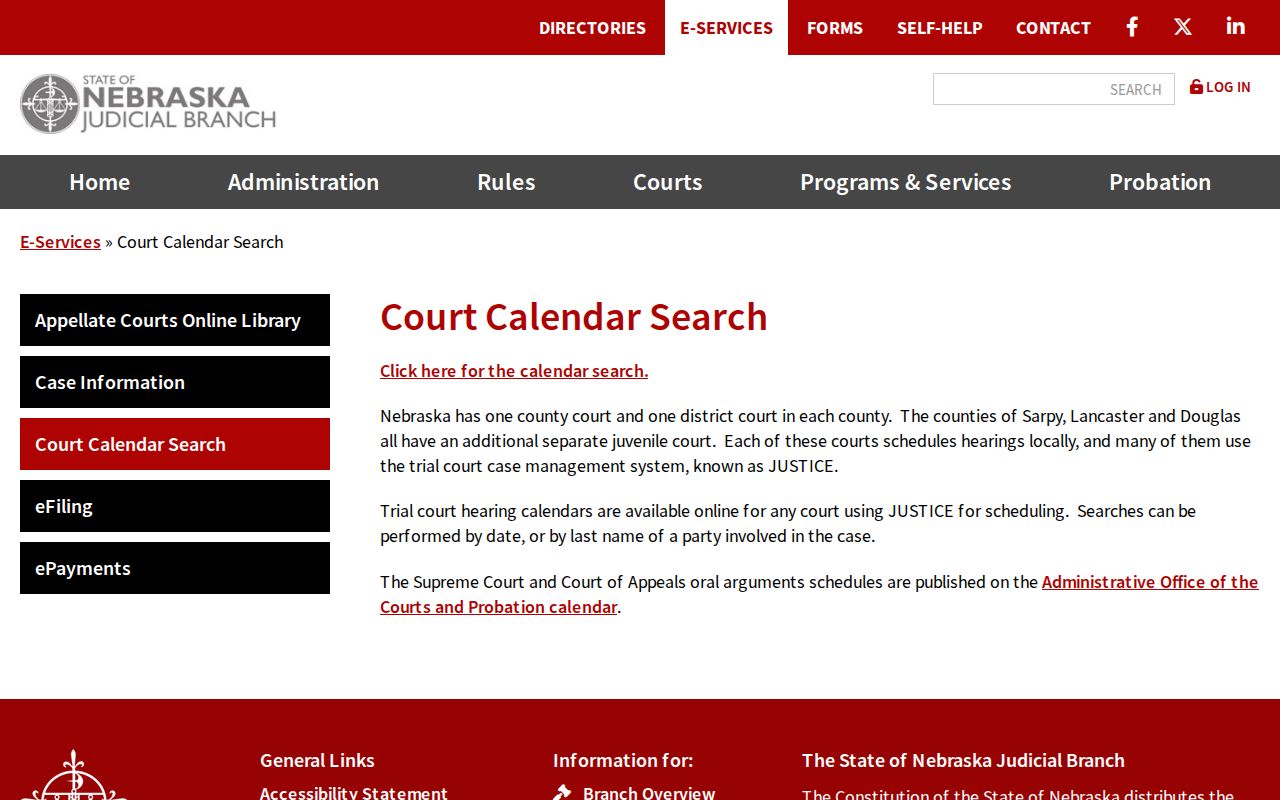
The service page separates the public calendar from other state e-services, which serve different purposes and carry different access rules.
Jefferson County Court Schedule Fields
The statewide calendar asks for three things: court type, Jefferson as the county or court choice, and a search method. A last-name search needs at least two characters. Date search covers current and future settings. Keep the citation, summons, notice, or most recent order close at hand, because it may name the court level and the date that needs confirming.
| Calendar control | Use for Jefferson | Official note |
|---|---|---|
| Court type | Select County Court or District Court | Required before the court list. |
| Court or county | Select Jefferson | Jefferson appears in both statewide lists. |
| Search method | Choose date or last name | Required selection. |
| Search value | Enter date or at least two last-name characters | Runs the selected search. |
| Reset | Clear a wrong court or value | Returns the form to a new query. |
The live Court Case Schedule Calendar holds the real search interface. Its own warning is worth heeding: information may be delayed, and a missing result is not proof that no court date exists.
Jefferson County Court Date Lookups
When the date matters, use every channel. Read the citation, summons, or current court order first. Then search the statewide calendar by last name or date, and compare the setting shown against the case Register of Actions. The courthouse public terminal and the responsible clerk are the local fallbacks. County Court answers at (402) 729-6801. District Court answers at (402) 729-6807.
- Read the latest citation, notice, summons, or court order.
- Search the state calendar with Jefferson and the correct County Court or District Court selector.
- Search by date to view a day’s settings, or by last name to locate a named party’s listing.
- Open JUSTICE and inspect the latest ROA notice or continuance if the case number is known.
- Call the responsible clerk or use the counter and public terminal when the date remains uncertain.
Both clerk counters sit at 411 4th Street in Fairbury. The shared address does not make the court records interchangeable, so say which court level you need when asking for confirmation.
Jefferson County Court Date Searches
Date search and name search answer different questions. Use a date when the day is known and you want to see listed settings. Use a last name when a person's case date is unknown. A name result is a discovery tool, nothing more. Check it against the court's latest ROA entry, notice, or order. Only then treat it as your required appearance time.
The official calendar page can display case number, caption, date, time, and location. A live entry may also show a judge, courtroom, or setting description. Jefferson County publishes no local list of setting-code abbreviations. It posts no daily docket PDFs, no permanent remote-hearing links, and no court-coordinator contact page. So rely on the exact language in the active case record. The live calendar interface shows how each Jefferson County search appears.
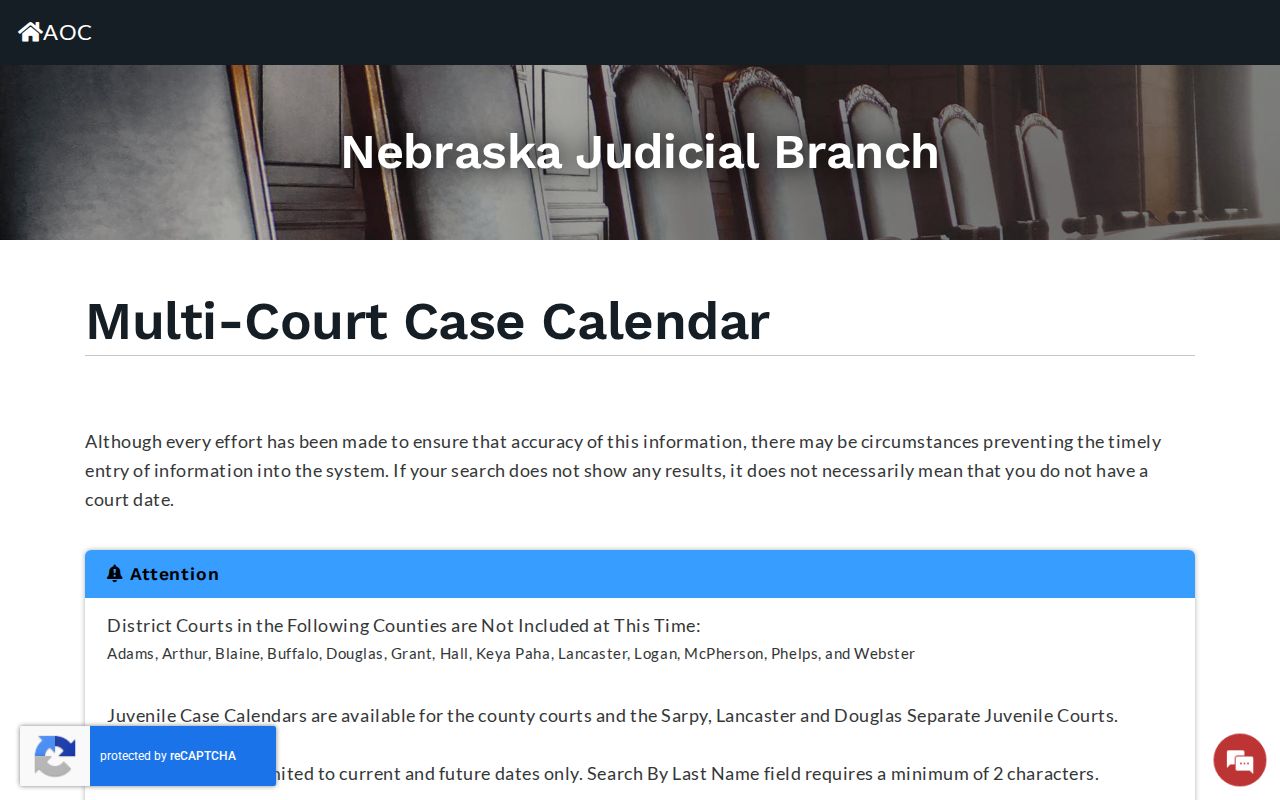
Either search mode can help you find a setting. Neither replaces checking the responsible court, the current notice, and the latest Register of Actions entry.
Court Settings: What Each Field Means
A setting is a scheduled court event. The calendar or ROA may give you enough to identify it, but the meaning should come from the record's exact entry. "Initial appearance," "arraignment," "preliminary hearing," "pretrial," "motion hearing," "trial," "sentencing," "review," and "disposition" mark different points in a case. They are not interchangeable labels.
| Date | The day the setting is recorded to occur; a later order can change it. |
|---|---|
| Time | The recorded start time, which should be checked against the latest notice when a change is possible. |
| Location | The courtroom or place shown for the event, subject to later location changes. |
| Caption or case number | The identifier connecting the listed setting to the proper court record. |
| Setting description | The event label used by the court; read it with the contemporaneous ROA entry. |
A setting never establishes a final result. The later order, judgment, dismissal, plea, or disposition entry is what records a result.
Jefferson County Court Schedule ROA
For the current setting, look at the latest notice or order in the Register of Actions. An older calendar line can linger in the history. That happens after the court enters a later continuance or reset. Search the case through the statewide JUSTICE service and read the newest dated entries. JUSTICE reports a nightly or roughly 24-hour lag. A very recent filing may not display right away.
Nebraska Judicial Branch eFiling moves documents and notices through the court system. It is not the complete public docket. A filed electronic item can still face normal processing and public-access limits. The public record layer also takes time to update.
The Nebraska eFiling page supplies the source for this Jefferson County court schedule image.
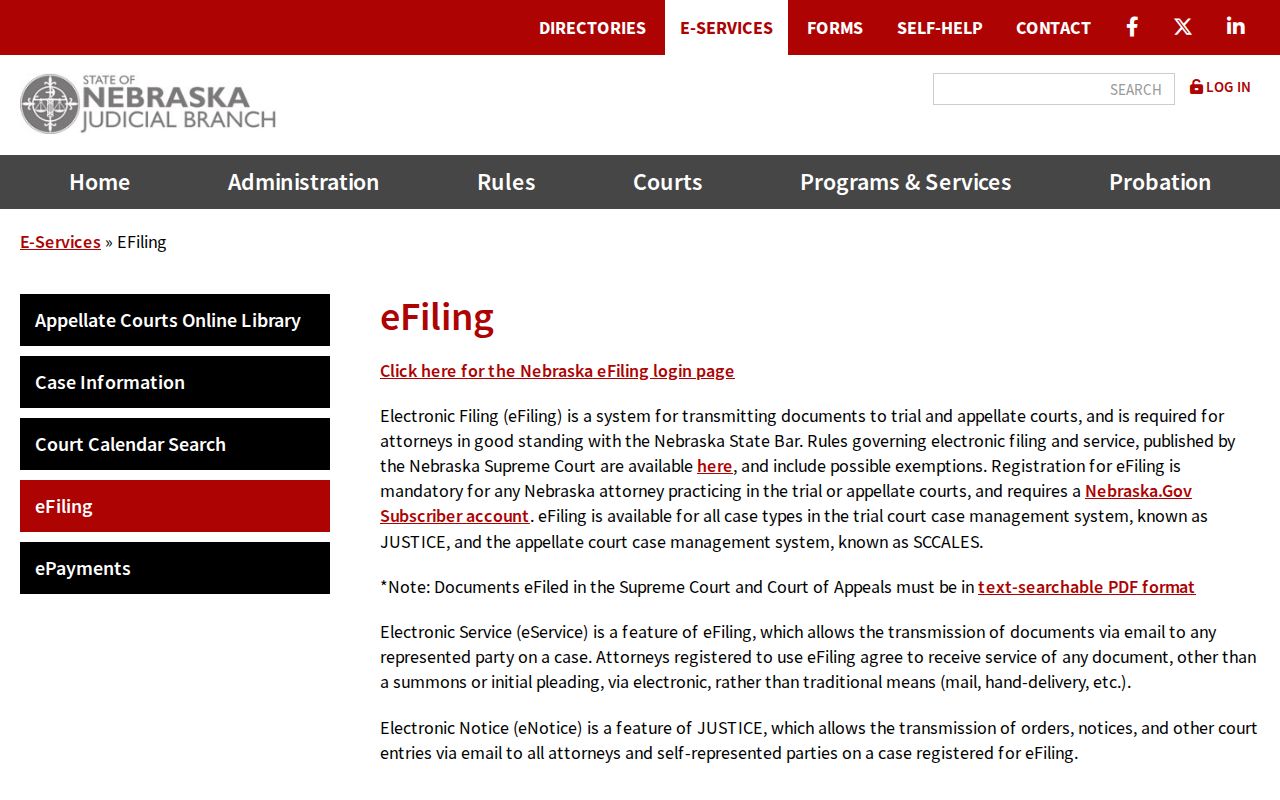
eFiling handles the paperwork side of court business. For finding dates in a public Jefferson setting, though, the calendar and the ROA stay the tools that matter, since eFiling and the public calendar serve related but separate court work.
When a Court Date Moves
A continuance pushes a hearing or trial to a later setting. It happens all the time. The old date usually stays in the ROA history. So the entry you first spot may be the wrong one. Terms like “reset,” “continued,” and “passed” only mean something when paired with the new date and time that follows. Jefferson County publishes no fixed code list or posting horizon. Trust the court’s own entry over any guess about shorthand.
One more caution. The paper that controls is the current notice or order. A setting the clerk confirms works too. A calendar result is a good cross-check. It is never a reason to ignore the newest court paper. The clerk can confirm what was recorded but cannot give legal advice.
- Continuance
- A court-authorized move of a proceeding to a later time.
- Reset
- A later scheduled setting shown by the court record.
- Passed
- A calendar or ROA term that must be read with the record’s later entry and date.
- Notice of setting
- A court notice identifying when and where a proceeding is expected.
Jefferson County Court Schedule Locations
Most Jefferson County hearings happen at the Fairbury courthouse. Check older records anyway. The Judicial Branch reported that a courtroom ceiling collapsed on May 26, 2020, while the room was empty, and hearings temporarily moved to the Jefferson County Law Enforcement Center before returning to the old courtroom. That episode says nothing about where hearings sit today. What it does show is why a location field in a historical ROA should be read beside the notice for that specific date.
The Judicial District 1 map and judge directory lays out the state court structure that Jefferson County sits in.
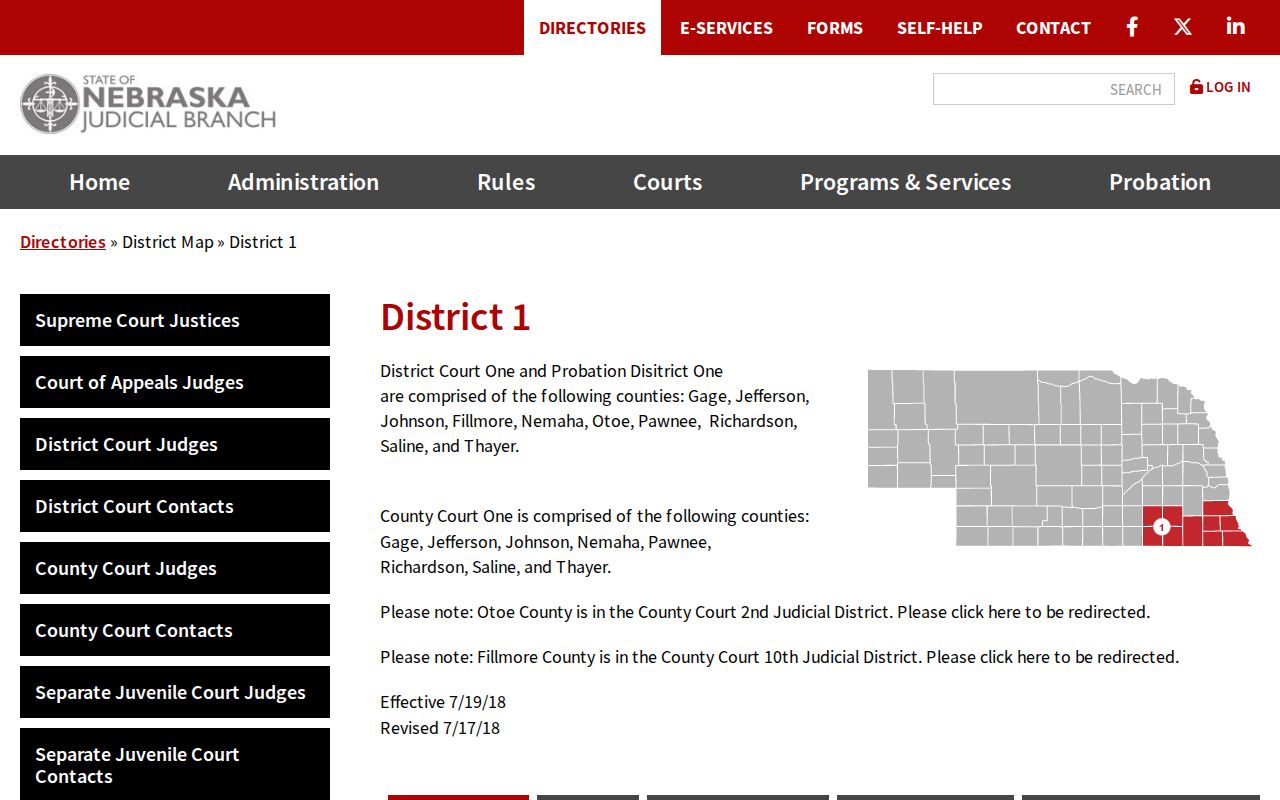
The district map gives the regional picture. For a particular Jefferson hearing, the current notice or a clerk confirmation supplies the actual location.
Missed Settings and What Comes Next
Missed a Jefferson setting? Move fast. Pull the latest citation, notice, order, calendar result, and ROA first. Then call the responsible clerk. County Court and District Court keep separate dockets and separate phone lines. Be sure you reach the right one. A blank calendar, a missing public result, or an old date never means the court excused the appearance. The court record may hold a later order, a new setting, or some other direction.
Act on the current court record. A missed setting can have case-specific consequences. Confirm the recorded status with the responsible clerk and follow the court’s current notice or order.
The statewide calendar is no substitute for legal advice. It is a public way to find a recorded setting, then confirm it with the court that holds the case.
Jefferson County Court Schedule History
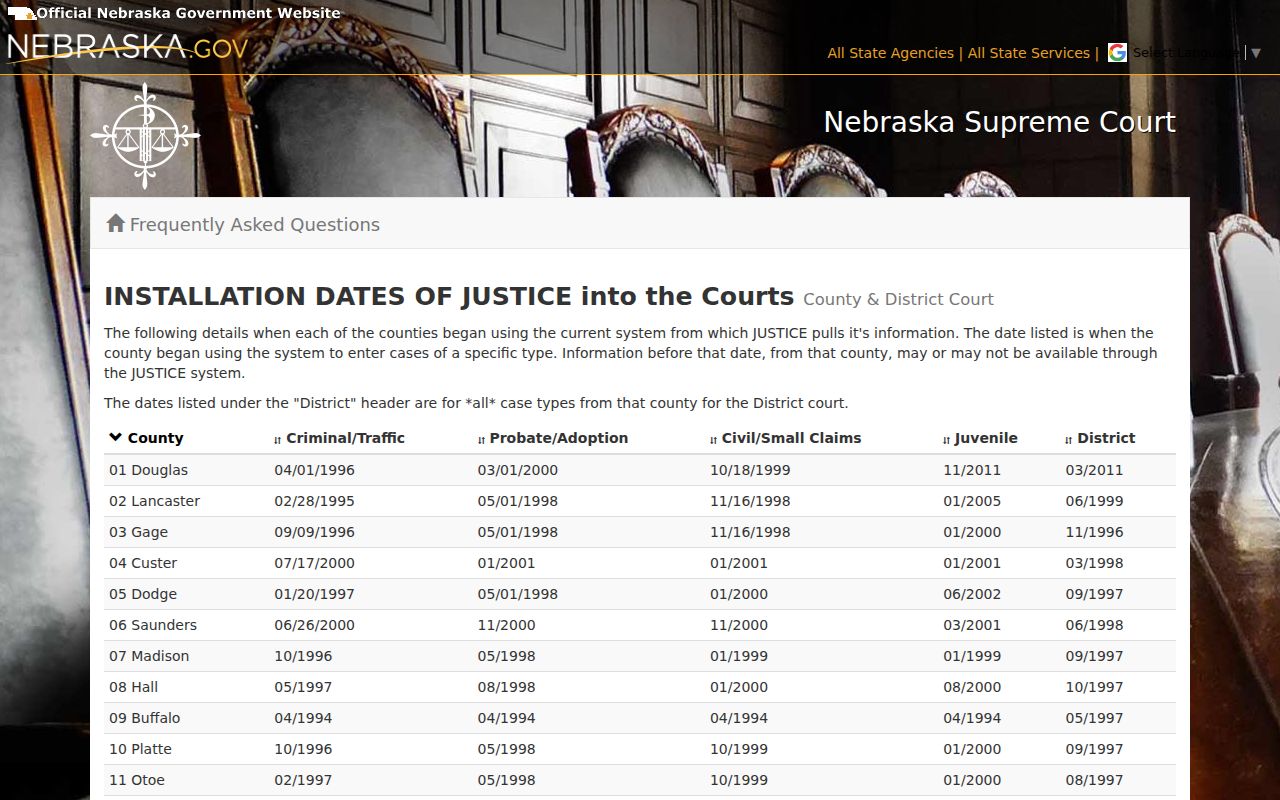
Digging for older Jefferson records online can frustrate you. The statewide system arrived in stages. The official installation list sets the pace: criminal and traffic in September 1996, District Court in November 1996, probate and adoption in May 1998, civil and small claims in October 1999, and juvenile in January 2000. Records from before those dates may or may not appear, the state warns. So treat a blank search result with care. The official JUSTICE installation-date list documents each of those rollout dates.
For an older Jefferson court date or record, skip one assumption. The online calendar is not complete. Ask the responsible clerk about paper files, microfilm, archived material, or retention status instead. Once you have a date, a case number or ROA lookup is the next step. The county’s Jefferson docket search information walks you through it.